长链丢给微信、Twitter、海报、PPT,永远是个麻烦事——又丑又截断。挂上 AceData Cloud 的 ShortURL MCP,Claude 在聊天框里一句话就能给你回一个 surl.id/xxx 的短链,复制即用。
本文是一篇亲手在 Claude.ai 网页版跑通的实测记录:从添加 Connector、OAuth 授权,到一句 prompt 把一条长 URL 缩成 https://surl.id/1uNbTadEob,全程截图,复制即可复现。
什么是 MCP?
MCP(Model Context Protocol)是 Anthropic 推出的开放协议,让 Claude 这类模型可以通过标准接口调用外部工具。简单理解:给 Claude 装上插件能力。
AceData Cloud 把 ShortURL 的核心能力封装成了一个远程 MCP Server,挂上去之后 Claude 就能直接:
- 单个短链生成(
shorturl_create) - 批量短链生成(
shorturl_batch_create) - 查询 API 信息 / 配额(
shorturl_get_api_info) - 查阅使用指南(
shorturl_get_usage_guide)
整套接入只需一个 URL,剩下交给 Claude。
在 Claude.ai 网页版添加 ShortURL MCP
💡 Claude.ai 网页版接入是 OAuth 直连,不需要复制 API Token。你只需要一个能登录 AceData Cloud 的账号(GitHub / Google / 微信均可)。
1. 打开 Connectors 设置
登录 https://claude.ai,点左下角头像 → Settings → Customize → Connectors,或直接访问 https://claude.ai/customize/connectors。
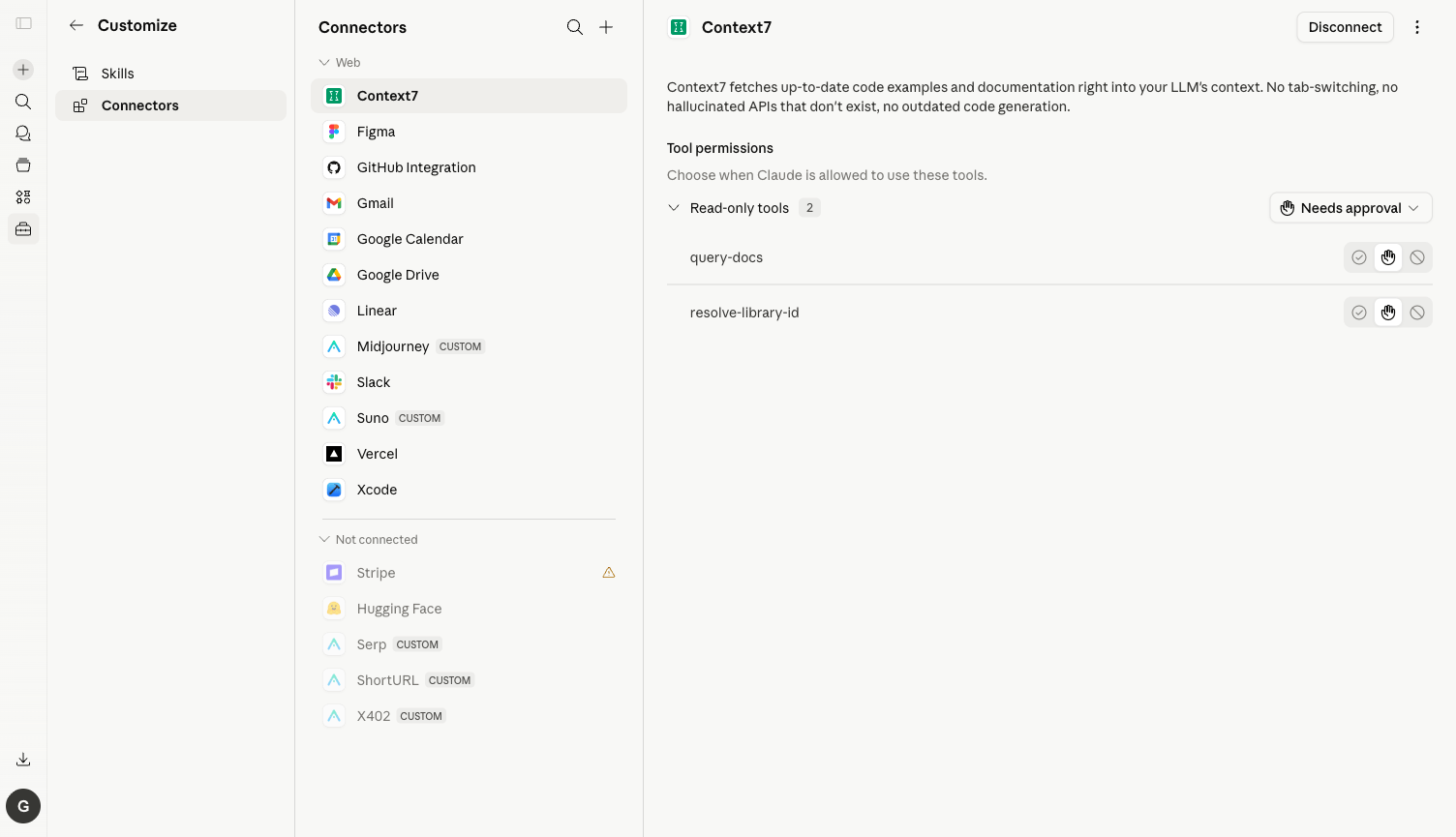
⚠️ 旧入口
/settings/connectors已经迁移到/customize/connectors,访问旧地址会看到一条 “Connectors have moved to Customize” 的提示。
2. 添加 ShortURL MCP Server
点击右上角加号 → Add custom connector,在弹出对话框里填:
| 字段 | 值 |
|---|---|
| Name | ShortURL(随便取) |
| URL | https://shorturl.mcp.acedata.cloud/mcp |
点 Add,Claude 会自动发现 Server 暴露的全部工具。
3. OAuth 授权
点 Connect → 跳转到 AceData Cloud OAuth 授权页 → 用账号登录、点 Allow 即可。如果还没注册,先去 https://platform.acedata.cloud 注册一下,注册即送免费额度,足够你跑完本文的 demo。
4. 检查工具列表 & 把工具切到 Always allow
授权完成后回到 Claude.ai,点开 ShortURL Connector,能看到 4 个工具:shorturl_create、shorturl_batch_create、shorturl_get_api_info、shorturl_get_usage_guide。
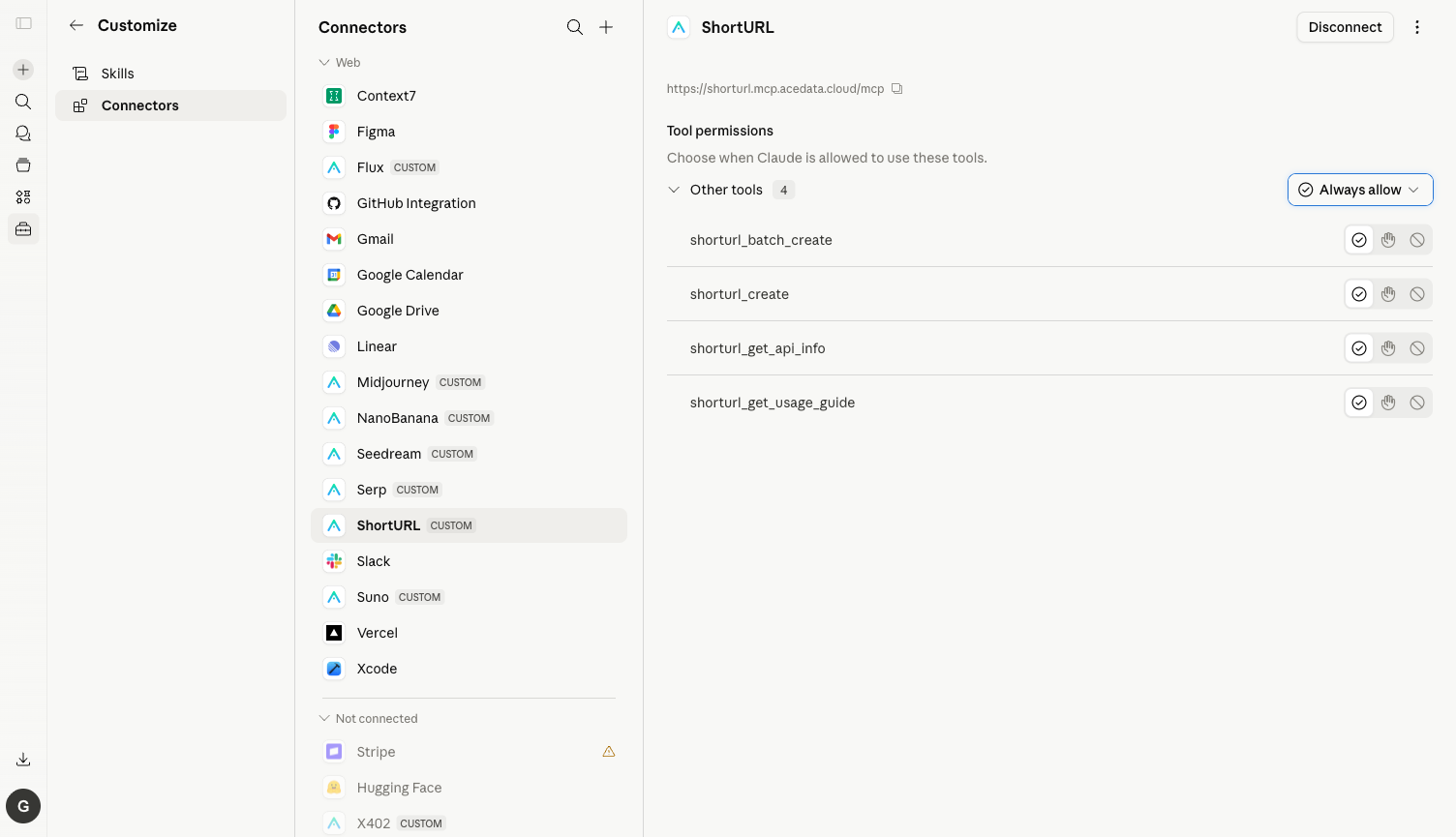
⚙️ 强烈建议把右上角的 Needs approval 下拉切换到 Always allow,否则每次工具调用都会弹确认框。一次缩短只触发 1 次工具调用,但用多了还是建议直接 Always allow。
实测:一句英文 Prompt 缩短长链
下面是我真实跑出来的对话:
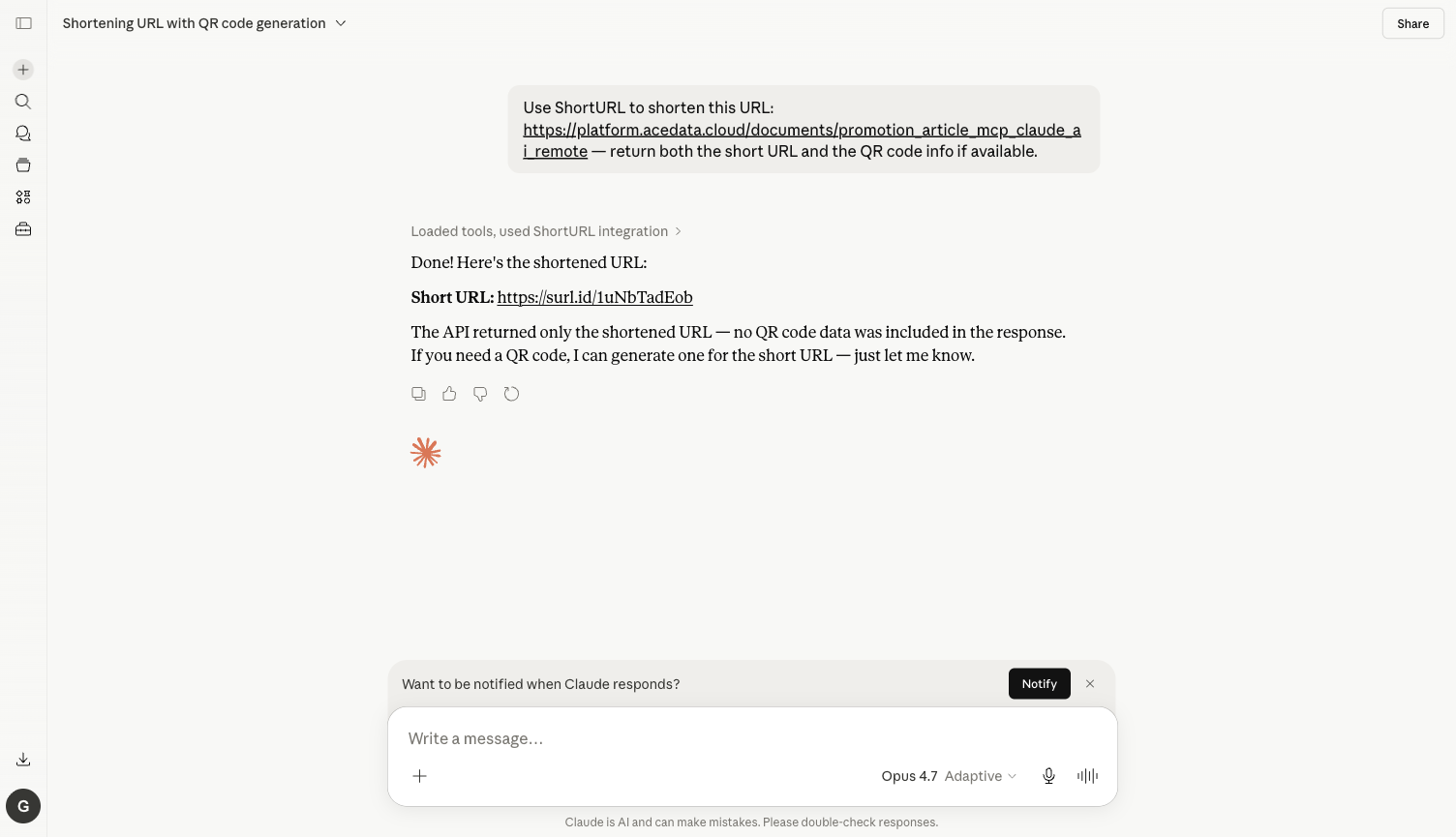
Prompt: Use ShortURL to shorten this URL: https://platform.acedata.cloud/documents/claude-desktop-mcp-all — return both the short URL and the QR code info if available.
Claude 收到后做的事情:
- 自动调用
shorturl_create,把原 URL 提交给 ShortURL API - 几秒钟拿到结果:
https://surl.id/1uNbTadEob - 在聊天框里贴出短链,并诚实地补充:”API 这次没返回 QR code 字段,如果你需要二维码我可以另外帮你生成”
下面是聊天最终结果截图:
💡
surl.id是 AceData Cloud 自营的短链域名:永久有效、不被国内主流社交平台屏蔽、支持点击统计(在 https://platform.acedata.cloud 控制台查看)。
更多玩法(同样一个 Connector)
把 prompt 换成下面这些,Claude 会自动选合适的工具:
批量缩链
1 |
Use ShortURL batch_create to shorten these 3 URLs in one call: https://platform.acedata.cloud, https://claude.ai, https://modelcontextprotocol.io. |
→ Claude 调 shorturl_batch_create,一次性返回 3 条短链。
查 API 信息 / 余额
1 |
Use ShortURL to check my API info / remaining quota. |
→ Claude 调 shorturl_get_api_info,告诉你额度还剩多少。
一站式:缩链 + 生成营销文案
1 |
Shorten https://my-product.com/launch with ShortURL, then write me a 100-character Twitter announcement that uses the short link. |
→ Claude 先调 shorturl_create,拿到短链后直接写文案。
配合其他 MCP 做工作流
1 |
Generate a Midjourney poster of "AI agent revolution", upload, then use ShortURL to shorten the image URL for me. |
→ Claude 先用 Midjourney MCP 出图,再用 ShortURL 把图片 URL 缩短。
常见问题
Q:为什么我点了 Always allow,新工具还是要确认?
A:Always allow 是按工具粒度记忆的。create、batch_create、get_api_info、get_usage_guide 是 4 个不同工具,第一次各确认一次即可。
Q:余额不够怎么办?
A:错误信息里会带 insufficient balance。去 https://platform.acedata.cloud/console/coin 充值,支持支付宝 / 微信 / Stripe / USDC。短链单次消耗极低,新账号免费额度够你缩几百次。
Q:和 bit.ly / t.cn 比有什么优势?
A:surl.id 是 AceData Cloud 自营域名,不会突然被墙、不会强插广告页;配合 MCP 让 Claude 自动批量缩链,比手动一条条粘 bit.ly 强太多;可以和其他 MCP 串成工作流(出图 → 上传 → 缩链 → 发文)。
Q:Claude Desktop 和 Claude Code 也能这么用吗?
A:能。详见 Claude Desktop + ShortURL MCP 和 Claude Code + ShortURL MCP。